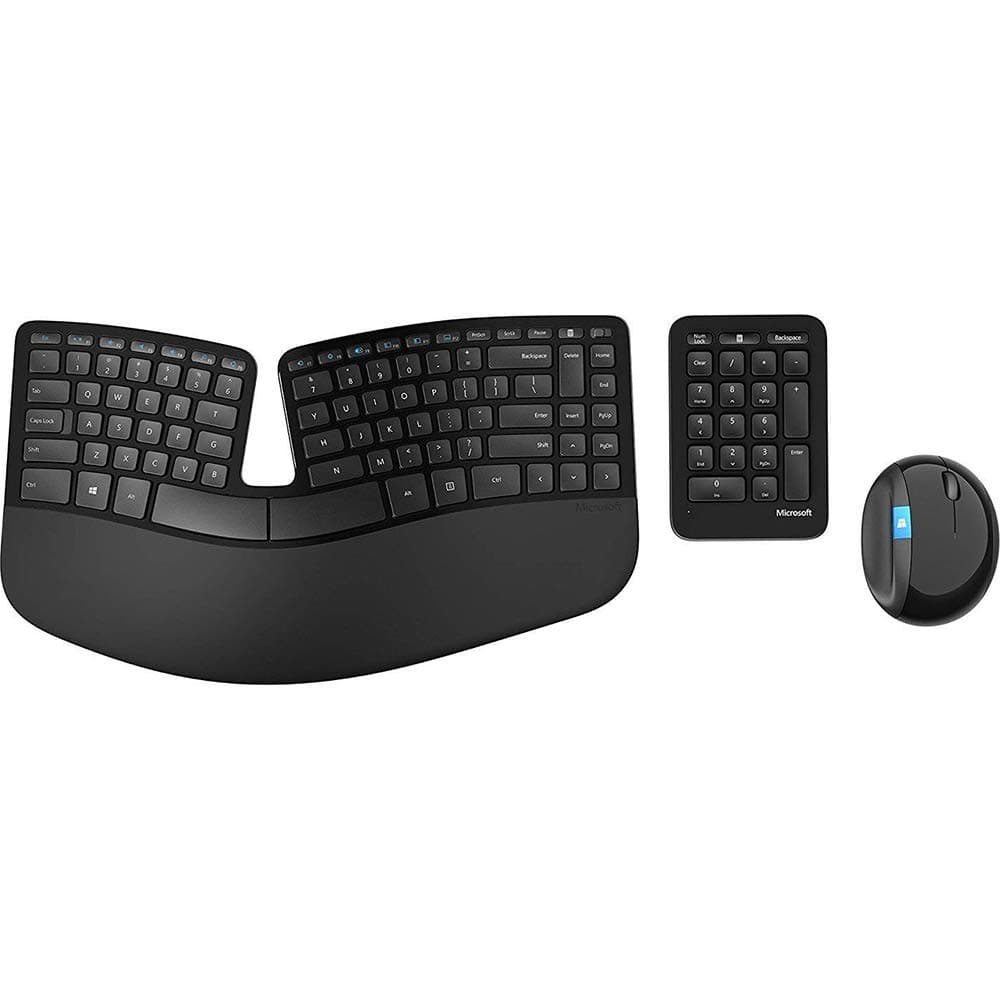
Microsoft Sculpt Ergonomic Desktop
Premium Microsoft Sculpt Ergonomic Desktop — A time-tested favorite for writers and coders.
Overall Verdict
“A time-tested favorite for writers and coders who prioritize long-term wrist comfort.”
Score Breakdown
“A time-tested favorite for writers and coders who prioritize long-term wrist comfort.”
Who Is This For?
Who Should Buy
- Writers and coders with wrist strain
- Users wanting a split keyboard layout
- Those preferring cushioned palm rest
Who Should Avoid
- Mechanical keyboard enthusiasts
- Gamers needing fast key actuation
Pros & Cons
Pros
- Industry-leading palm rest comfort
- Very natural typing position
- Separate numeric keypad
Cons
- Membrane-style keys
- Requires USB dongle
Full Review
Who It's For
Writers, coders, and data entry professionals wanting to reduce wrist strain.
Key Features
- Split domed keyframe for natural wrist angle
- Cushioned palm rest
- Detachable numeric keypad
- Windows hotkey shortcuts
What Makes It Different
Split design lets hands fall naturally, reducing ulnar deviation.
Alternatives to Consider
How to Use
Use split layout to keep wrists straight
Utilize separate numpad for better positioning
Trust ergonomic shape to guide your hands
Frequently Asked Questions
Does the Sculpt reduce wrist pain?
Yes, split domed design keeps wrists in neutral position.
Can I use the numpad separately?
Yes, detachable numpad can be placed on either side.
Ready to Fix Your Wrist Pain?
Get the Microsoft Sculpt Ergonomic Desktop at the best price on Amazon India with fast delivery.
As an Amazon Associate we earn from qualifying purchases. Prices may vary.